For neurological rehabilitation courses
Most of a rehab course happens when nobody is watching.
The Fatigue App records what patients report between appointments, in two taps. It gives the physiotherapist an honest picture of the weeks they didn't see - and nothing else. No scoring. No flags. No algorithm deciding who needs attention.
Built for patients with fatigue, tremor, hemianopia and cognitive load. The whole log takes two interactions.


The gap between appointments
A patient on a 12 week neurological rehabilitation course might see their physiotherapist a few times a week at most. The other days get reconstructed from memory at the start of each session - and fatigue is exactly the thing memory is worst at.
“How have you been?” is a hard question to answer well when you are tired. It tends to return the last few days, or the worst day, rather than the shape of the month.
The Fatigue App asks one question at regular intervals, and hands the answers to the person qualified to read them.
How it works
Three steps, and the third one is a conversation.
-
1
A clinician signs the patient up
From the dashboard, using the patient's email address. No self-registration and no public sign-up form - a patient is on the system because a clinician put them there.
-
2
The patient logs how they feel
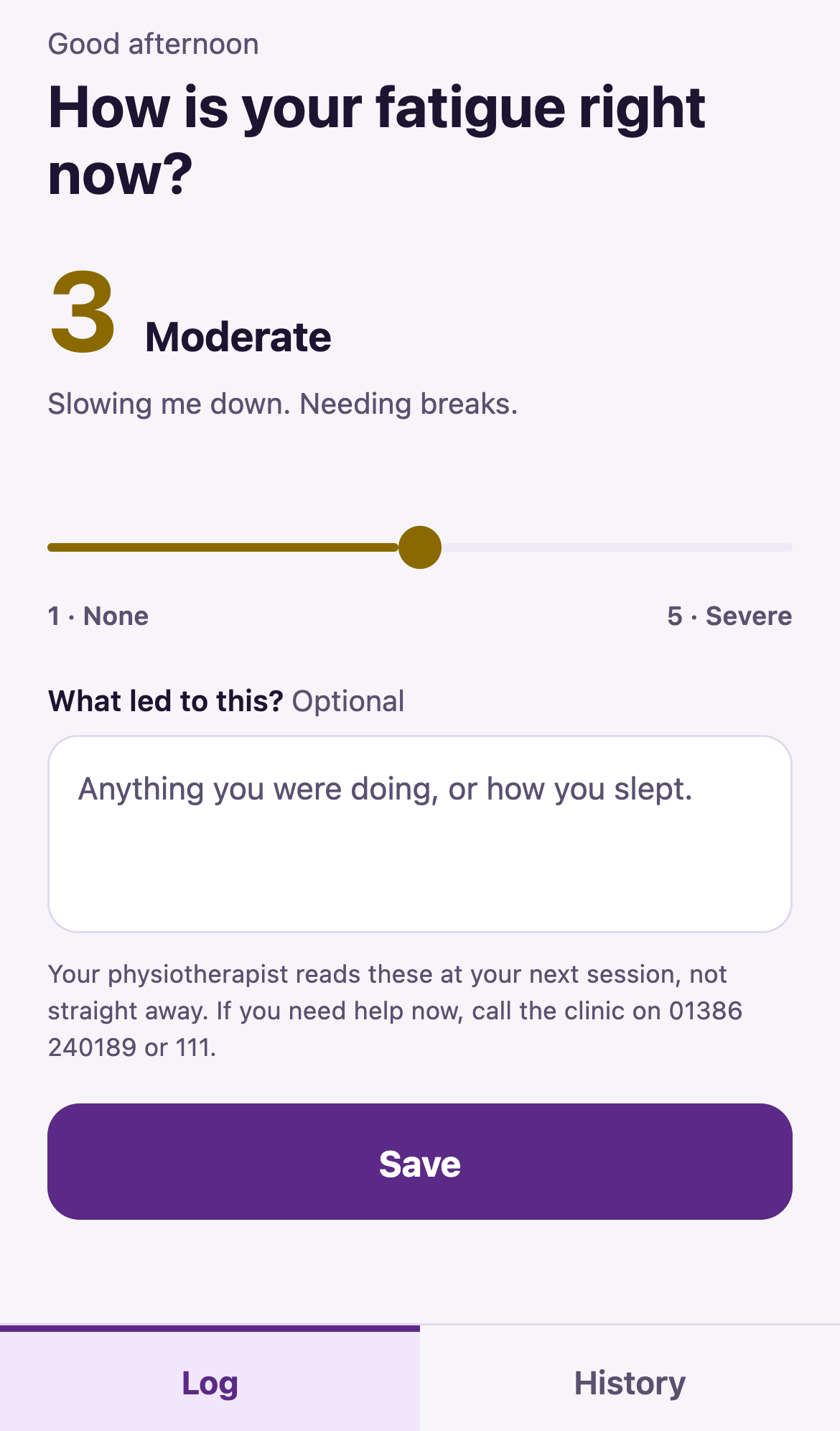
Tap a level on the battery, tap save. Optionally add a sentence about what they were doing. At most one entry an hour.
-
3
The clinician reads it in session
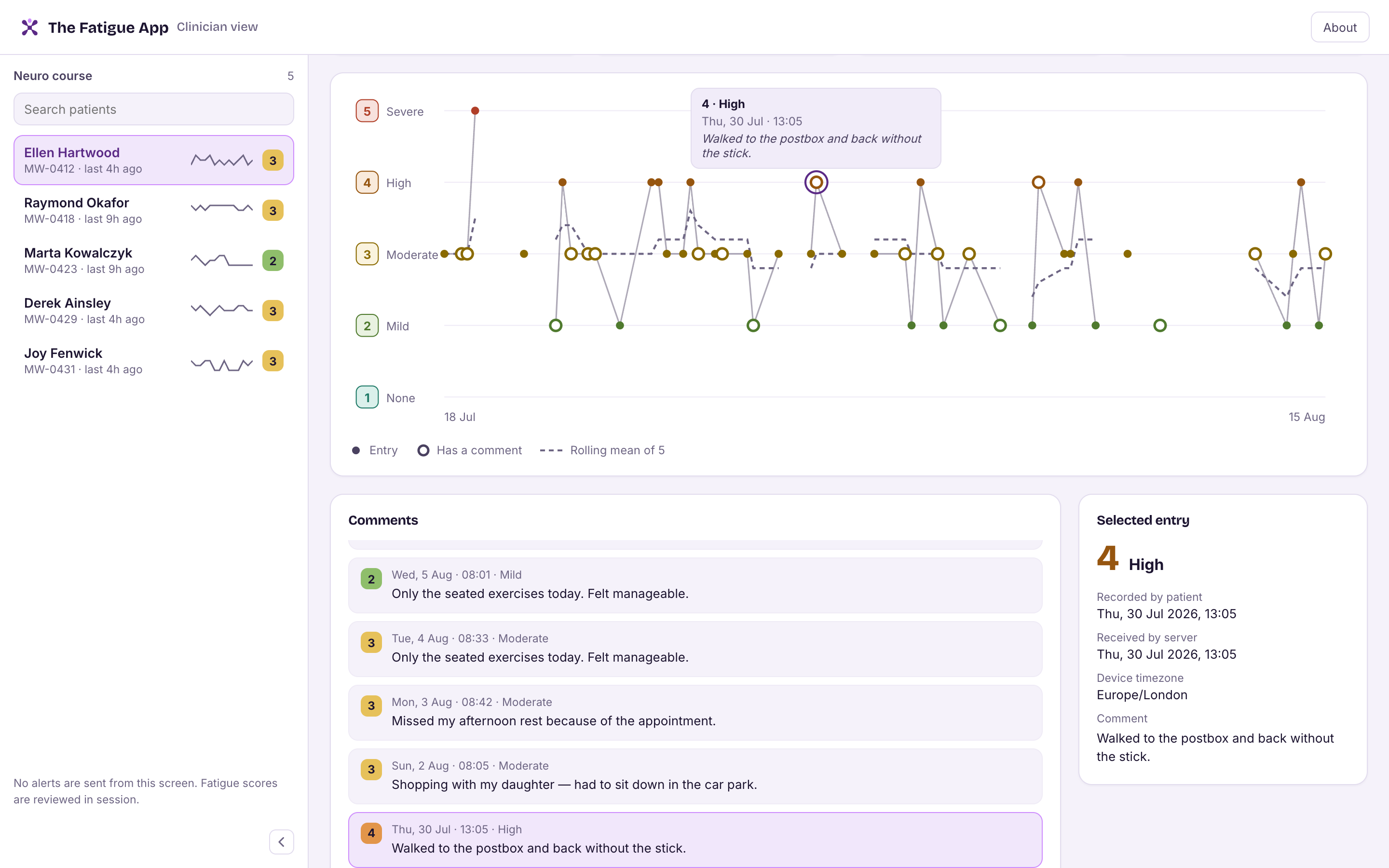
Scores over time with the patient's own notes attached. Gaps stay visible - a week with no entries is information, not missing data.
The patient's view
Plain descriptions - the same words the clinician sees, so a fatigue level means the same thing to both of them.
Their own entries, as a list
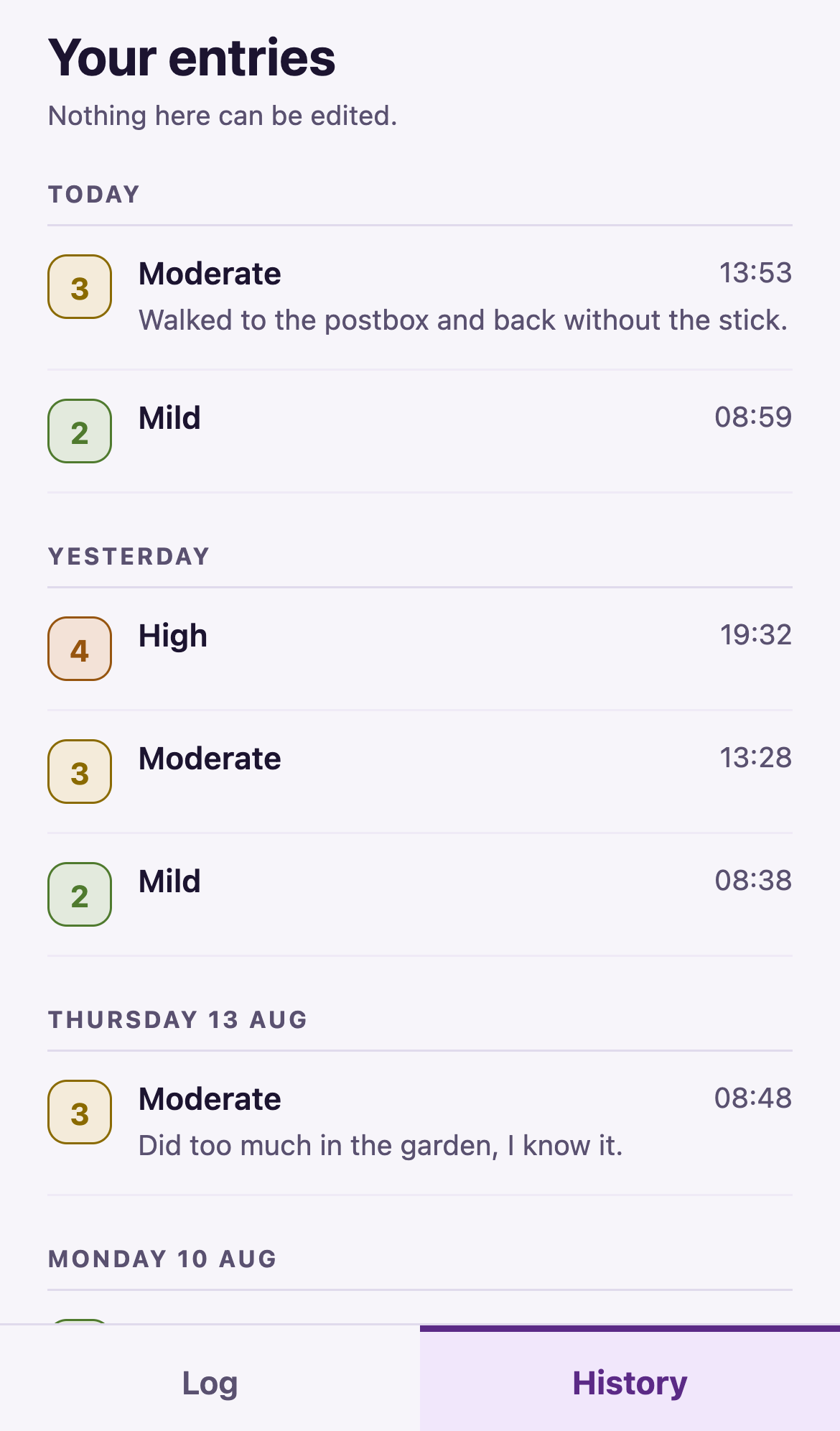
Patients can look back at what they recorded, grouped by day. Deliberately a list and never a graph: progress is something to discuss with a clinician, not to infer alone from a trend line at midnight.
Nothing here can be edited or deleted. The record is what was said at the time.
The clinician's view
One patient, one record. Hollow rings mark the entries carrying a note, so the comments are findable at a glance. Clicking a point pins it; clicking a note selects its point.
What it deliberately doesn't do
Each of these was considered and left out on purpose.
No clinical alerting
No threshold escalates to anyone. A bad score at 2am does not page a clinician, it's a record to discuss at the next session, not an intervention.
No scoring or triage
Nothing interprets the numbers, ranks patients by risk or recommends action. The clinical judgement stays with the clinician.
No streaks or pressure
Patients get simple prompts to record during the day, and that is where it stops: no streaks, no badges, no warnings about missed days.
No self-diagnosis
Patients see their entries as a list, never as a trend or an average. Progress is discussed, not inferred alone.
No open sign-up
Patients are added by your service. There is no public registration form and no marketing list.
No data resale
Patient data belongs to the commissioning organisation. Not sold or shared to third parties, not used for training.
For organisations running rehab courses
The Fatigue App is deployed per organisation, with clinician accounts managed by your own administrators and each organisation's cohort kept separate.
- Integrated Care Boards - course-level visibility across cohorts.
- Private clinics - a lightweight solution for smaller practices to increase the quality of care and their market presence.
- Charities and community providers - the same tool where the reporting burden has to stay light.

If you're on a rehab course
You can't sign yourself up, and there's nothing here to download. The Fatigue App is provided by the team running your course - a physiotherapist adds you, and you're on it because they did.
If recording how your fatigue changes between appointments sounds like something worth talking about at your next session, ask your physiotherapist or rehab team whether they use it, or your ICB if it's not currently commissioned through the NHS. If they'd like to know more, this page is the place to send them.
It's worth knowing what it doesn't do: the app shows you your own entries as a list, and nothing else. No trends, no averages, no advice, and nothing that tells you how you're getting on. That is a conversation to have with your physiotherapist.
Talk to us about your course
If you're running a rehab course, tell us about your cohort and we'll talk you through the dashboard and how we integrate it into our neurological rehabilitation courses.